If you work with DMX lighting, you will often hear people use scene, sequence, cue, chase, and show as if they mean the same thing. They do not. Choosing the wrong type of content can leave you with a recorder that stores a perfect static look but cannot reproduce movement, or a powerful show player that is unnecessarily complicated for staff who only need five labeled buttons.
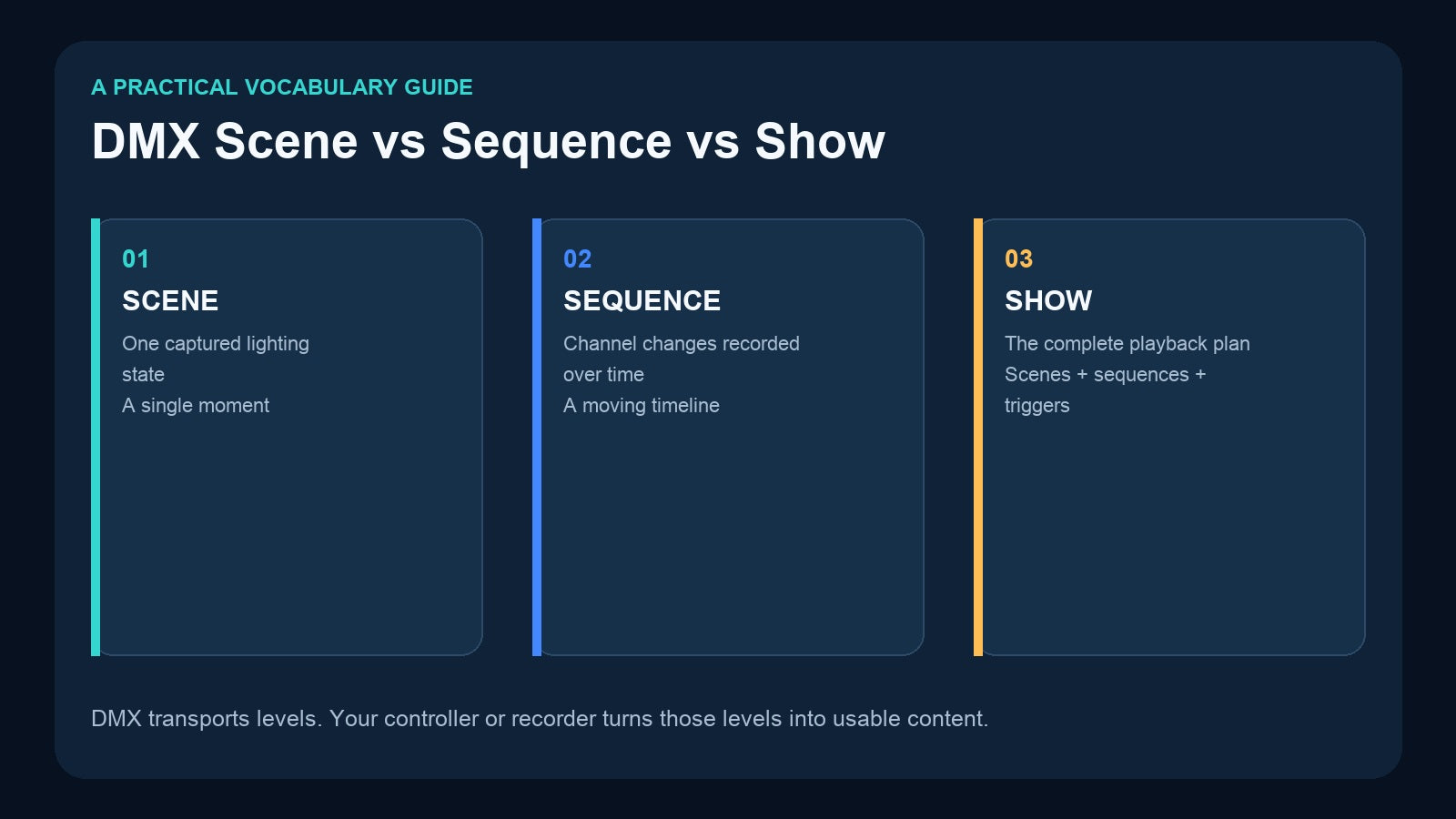
The simplest distinction is this: a scene is one lighting state, a sequence is a lighting timeline, and a show is the complete operating plan. Once you understand those three levels, selecting a recorder and designing the daily workflow becomes much easier.
DMX Does Not Define a “Scene” or a “Show”
DMX512 transports channel values. A controller might send the dimmer on channel 1 at 80%, a color channel at a specific value, and a pan channel at another value. DMX itself does not decide whether those values belong to a scene, cue, sequence, or show. Those are concepts created by the console, software, recorder, or playback device.
That is why terminology varies between manufacturers. One controller may call a recorded item a “program,” another may call it a “show,” and a third may use “cue.” The practical question is not the label on the menu. It is: does the item contain one state, or does it contain changes over time?
What Is a DMX Scene?
A DMX scene is a snapshot of channel values at one moment. Think of it like a photograph of the lighting output.
A scene could contain:
- Front lights at 70%
- Wall washes in warm white
- Decorative fixtures in blue
- Moving heads parked at a fixed position
- Haze output at zero
When the scene is recalled, those stored channel values are sent again. The important point is that the scene does not contain a timeline. It tells the fixtures where to be, not how to travel there.
Scenes are ideal for repeatable static looks: opening, presentation, dinner, cleaning, rehearsal, photo mode, or blackout. They are also easy for non-technical operators because each button can represent a clear result.
The Pknight CM003 is designed around this workflow. It has five physical buttons and can store up to ten scene actions by assigning an On Press and On Release action to each button. Scene data can be captured from DMX512, Art-Net, or sACN, then played back without keeping the original console connected.
What Is a DMX Sequence?
A sequence stores channel changes over time. It is closer to a video than a photograph.
For example, a 60-second entrance sequence might start in deep blue, fade up side light over five seconds, move two fixtures across the stage, change the background to amber, and finish with a slow blackout. A scene can store the beginning or the end of that effect, but it cannot reproduce the changing path between them.
This is where a timeline recorder is useful. The Pknight DR & PB MINI records the changing DMX stream for one universe—up to 512 channels—and saves it to microSD. It supports record IDs from 1 to 255, so multiple sequences can be stored and selected later. During external DMX control, one channel selects the recorded program and another controls the playback dimming level.

Sequences are the better format when the timing is part of the creative result. Common examples include:
- Fades with a defined duration
- Moving-light position changes
- Color rolls and pixel effects
- A multi-step product reveal
- A timed entrance or wedding moment
- A repeatable lighting routine copied from a console
Where Do Cues and Chases Fit?
A cue is usually an instruction that recalls a scene or starts an action. On one console, a cue may contain a complete lighting state plus fade timing. On another device, a button press may behave like a cue by selecting a stored scene or sequence.
A chase is usually a series of steps that advances or repeats in order. For example, red, green, blue, and blackout scenes could run as a four-step chase. A chase is therefore a type of sequence, but not every sequence is a chase. A recorded moving-head routine with continuously changing pan and tilt values is a sequence even if it does not contain clearly separated steps.
The safest way to discuss a project is to describe the behavior rather than relying on a label: “one static state,” “a 90-second recorded timeline,” or “a set of items the operator can select.”
What Is a DMX Show?
A show is the complete playback package or operating plan. It can include scenes, sequences, cue assignments, music, schedules, triggers, and instructions for the operator.
For a restaurant, the show might include an opening scene, a sunset transition sequence, a dinner scene, a birthday reveal, and a closing fade. For a small theater, it might include a list of numbered sequences that are triggered in order. For an exhibition, it may run automatically and restart after power is restored.

Because “show” is used differently across products, check what the device actually stores. Some products use “show” for one recorded DMX timeline. Others use it for a collection of timelines. The name matters less than the playback behavior, trigger method, storage capacity, and number of universes.
One Venue Can Use All Three
These formats are not competitors. A well-designed installation can use all three at the same time.
Imagine a multipurpose restaurant:
- Scenes provide quick access to opening, dinner, private-event, and cleaning looks.
- Sequences reproduce the sunset transition, birthday reveal, and closing fade with consistent timing.
- The show plan defines which buttons staff use, which recorded items are allowed during service, and what should happen after a power interruption.

This layered approach keeps creative programming separate from daily operation. A lighting professional can build the looks and timelines, while venue staff only interact with a small, predictable control surface.
Scene Recorder or Sequence Recorder?
Use a scene recorder when the desired result can be represented by one set of channel values. Use a sequence recorder when the desired result depends on timing and movement.

A quick test is to pause the effect halfway through. If that halfway moment is different from both the start and the finish—and you need the transition to happen the same way every time—you probably need a sequence.
Also consider who will operate the system. A technician may be comfortable selecting program numbers on a display. Restaurant or event staff may prefer labeled physical buttons. The playback interface is part of the design, not an afterthought.
Using CM003 and DR & PB MINI Together
CM003 and DR & PB MINI solve different parts of the problem:
- CM003 captures static scenes and gives the operator five physical buttons with up to ten press/release actions.
- DR & PB MINI captures a changing one-universe DMX stream and preserves the timing on microSD.


This makes them a useful combination when the original console is excellent for programming but inconvenient for everyday playback. The console creates the full lighting effect. DR & PB MINI records the timed sequence. CM003 is then programmed so a button action sends the external DMX values required to select that recording on DR & PB MINI.
The result is a two-layer system: the recorder holds the detailed timeline, while the button controller gives staff a simple interface. The original console can be removed after commissioning.
There is one important planning detail: DR & PB MINI uses a two-channel external control personality—one channel for program selection and one for dimming. When you build the CM003 scene that triggers it, include those control channels in the recorded channel range and document which button selects which record ID. Do not assume that an undefined value will behave as a stop command; test the intended start, selection, dimming, and changeover behavior during commissioning.
A Practical Recording Checklist
Before recording, write down:
- Is the desired content a static state or a timed timeline?
- How many DMX universes are required?
- Must music be stored and played with the lighting?
- Will playback be selected by physical buttons, local controls, DMX, an app, or an automation system?
- What should happen after power is restored?
- Who is allowed to change or re-record the content?
- How will program numbers and button labels be documented?
Then test the complete real-world path: power up, select the item, change to another item, dim it, interrupt it, and restart the system. A successful recording is not only one that looks correct—it must also be easy and predictable for the person operating it.
Frequently Asked Questions
Can a DMX scene include moving lights?
Yes. A scene can save the current pan, tilt, color, gobo, and intensity values of moving lights. It cannot preserve the path or timing of their movement; that requires a sequence.
Is a cue the same as a scene?
Not always. A cue may recall a scene, start a sequence, or contain timing information. Check how the specific controller defines and plays a cue.
Can CM003 record a sequence?
CM003 is a scene recorder/controller. Use a timeline recorder such as DR & PB MINI when you need to preserve changing DMX values over time.
Can one installation use scenes and sequences together?
Yes. A common design is to store static looks in a scene controller, keep timed content in a sequence recorder, and present both through a simple operating plan.
The Short Answer
A scene is one captured DMX state. A sequence is DMX activity recorded or programmed across time. A show is the complete set of content, triggers, and operating rules used for an event or installation.
Choose the format before choosing the recorder. If you need immediate recall of static looks, start with a scene controller such as CM003. If you need fades, movement, or timed effects, use a timeline recorder such as DR & PB MINI. If the installation needs both, separate storage from operation: let one device preserve the sequence and let a simple controller present it to the operator.
Ready to compare the full range? Read Which DMX Recorder Do You Need? or explore the CM003 and DR & PB MINI product pages.
Need help matching a recorder to your DMX system? Review the linked product pages or contact Pknight with your universe count, signal type, playback content and preferred trigger method.