
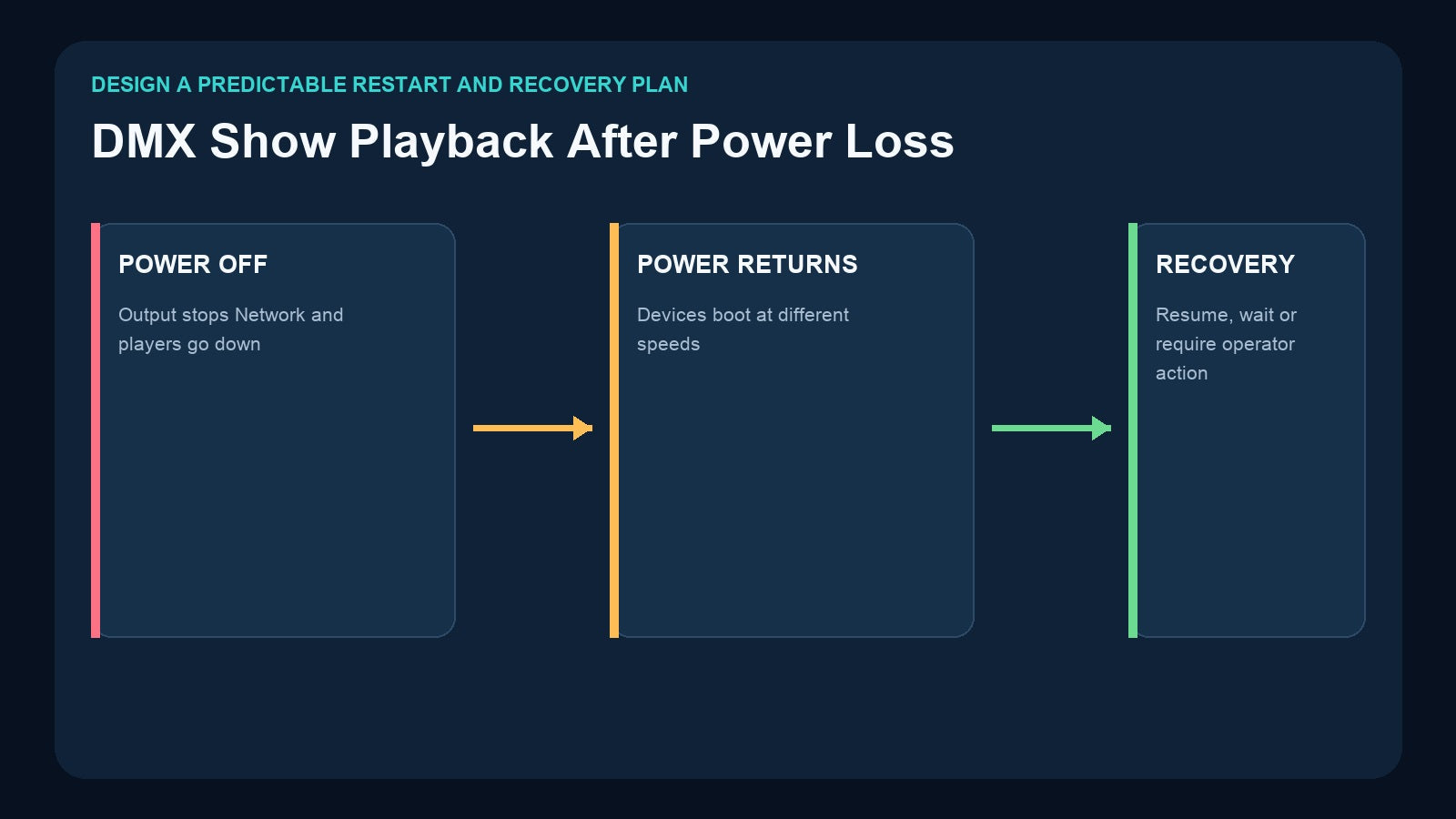
A standalone DMX recorder removes the need to keep a console or computer connected, but “standalone” does not automatically mean “returns to the correct show after every outage.” When power comes back, the recorder, network switch, nodes, audio system, and fixtures may all boot at different speeds. Some products can resume a previous program; other workflows may wait for local selection, an external trigger, an app, or an automation command.
Reliable recovery begins by defining the intended behavior, choosing hardware that supports it, and testing the complete system from a full power-off.
Power Recovery Is a System Behavior
A lighting show depends on more than the recorder. A typical installation may include:
- Recorder or scene controller
- Network switch or router
- Art-Net/sACN nodes
- DMX splitters
- Fixtures, dimmers, and effects
- Audio playback or amplifiers
- Button stations, apps, or AV controllers
If any required device is not ready when playback begins, the visible result may be incomplete. A recorder can start correctly while the network is still booting, or fixtures can power up before the device providing their expected DMX output.
Treat recovery as a sequence of states, not a single product feature.
Choose the Intended Restart State
The first design decision is what the venue should do when power returns.

Option 1: Wait in a safe dark or idle state
The system does not automatically start a show. An authorized operator checks the venue and selects the correct content. This is useful when an automatic restart could be confusing or inappropriate for the event.
Option 2: Recall a known static default
A scene controller recalls a predictable venue look, such as house lights or a standard room state. This may be easier for staff than restarting a long sequence, but the exact behavior must be supported and configured in the chosen system.
Option 3: Resume the last active program
The player returns to the program that was active before the interruption. This suits repeating attractions, displays, and music-led installations when the product explicitly supports auto resume and the resumed state is appropriate.
Do not select a behavior only because it sounds convenient. Consider what people will see, hear, and expect if power returns halfway through an event.
Auto Resume Must Be Explicitly Supported
The Pknight DR & MP 1024 explicitly supports automatic resumption of the last active program after a power interruption. It stores up to 255 programs across two universes and can play matched stored music. Playback modes include single-run behavior based on music or DMX duration and continuous loop playback.

This makes DR & MP 1024 a natural candidate when automatic continuation is a core requirement. However, the complete system still needs testing. The recorder may resume, but audio amplifiers, downstream devices, or fixtures may have different startup delays.
For other products, use the behavior documented on the current product page or manual. Do not assume that standalone playback, loop playback, or removable storage automatically means last-program auto resume.
Boot Order Can Change the Result
Different devices rarely become ready at exactly the same time.

In an Art-Net system, the switch and node path must become available. In a physical DMX system, the recorder and output line must stabilize. In a music-led system, audio playback and amplifiers must be ready when the lighting begins.
Test these conditions:
- All equipment receives power at the same time.
- Network equipment starts before the recorder.
- Recorder starts before the network.
- Fixtures restart while the recorder remains on.
- Recorder restarts while fixtures remain powered.
- External controller or button station starts later than the player.
The desired solution may involve power sequencing, delayed automation commands, an operator procedure, or selecting a product with a documented resume function. Do not invent delays without measuring the actual installation.
Recovery with DR & PB MINI
The DR & PB MINI records one universe of changing DMX data to removable microSD and stores content under Record IDs 1–255. Playback can be selected locally or through external DMX, where one channel selects a program and another controls dimming.
For a power-recovery plan, document the exact method the operator or external controller will use to restore the approved Record ID. If another device provides the external selection value, test which device boots first and whether the selection is transmitted again after power returns.
Do not assume an undefined DMX value provides stop or recovery behavior. Program and test the values documented for selection and dimming.
Recovery with CM003
The CM003 5-Button Scene Controller is designed for static scene recording and physical cue recall. Five buttons can provide up to ten On Press/On Release scene actions.
CM003 is useful when the recovery plan calls for staff to select a known scene through a clear physical interface. Label one button with the approved restart state and include it in the one-page recovery procedure. Because CM003 stores scenes rather than a changing timeline, use a sequence recorder when the full movement and timing must be restored.
Recovery in an Art-Net System
The 4-Universe Art-Net DMX Recorder/Player records four Art-Net universes to microSD, provides standalone playback, and converts network data to four physical DMX outputs. It supports DHCP or manual IP configuration and external two-channel DMX playback control.
Power recovery must include the network path:
- Switch or router power and startup
- Recorder IP method and network link
- Art-Net universe mapping
- Four physical output assignments
- External trigger source, if used
- Fixture response after DMX returns
A successful recorder reboot is not enough if the switch has not completed startup or the external control source does not resend its selection.
Recovery with CM002 and Automation
The CM002 provides four DMX inputs and outputs, TF-card standalone/loop/one-touch playback, CM-Pro app operation, audio outputs, and TCP/UDP/RS485 integration.
In a smart-venue design, the central controller can be responsible for issuing the approved playback command after the system reports or reaches a ready state. Document any delay, command sequence, network or serial settings, and manual fallback. If the central controller is unavailable, staff should still know how to reach a known condition through an authorized local or app workflow.

Build a Recovery Test Matrix
One successful unplug/replug test is not enough.

Record the expected and actual result for:
| Test | Question to answer |
|---|---|
| Short interruption | Does the player resume, restart, or wait? |
| Full venue shutdown | Do network, player, audio, nodes, and fixtures recover together? |
| Delayed network startup | Does the recorder reconnect to the required path? |
| Delayed external controller | Is the program-selection command sent again? |
| Card removed and returned | Is approved content still present and selectable? |
| Operator changeover | Can a different staff member follow the procedure? |
| Repeated power cycles | Is behavior consistent, not just successful once? |
Perform tests during commissioning and after material changes to firmware context, network configuration, automation commands, storage cards, or show content.
Write a One-Page Recovery Procedure
The person responding to an outage may not be the original programmer. Make the correct action obvious.

The document should include:
- Expected normal recorder display or status
- Approved program ID or button label
- Required network, DMX, and audio devices
- Power-up order or wait time established by testing
- Local selection or automation command
- How to confirm the correct output
- What not to change
- Who to contact if recovery fails
- Date of the latest successful full-system test
Keep a copy near the equipment and another with the show backup. For backup practices, see How to Back Up DMX Recorder Shows.
Safety and Stage-Effect Considerations
Automatic lighting recovery may be acceptable for ordinary fixtures, but stage-effect equipment requires separate review. A recorder or button controller does not replace manufacturer safety interlocks, arming procedures, emergency stops, exclusion zones, local regulations, risk assessment, or a trained authorized operator.
Do not configure flame, pyrotechnic, or similarly hazardous effects to fire automatically after power restoration. Recovery behavior must follow the effect manufacturer’s instructions and qualified site safety procedures.
Frequently Asked Questions
Does standalone playback mean automatic restart?
No. Standalone means the device can play without the original console or computer. Auto-resume behavior must be explicitly supported and configured.
Which Pknight recorder explicitly supports last-program auto resume?
The current DR & MP 1024 product specification states that it automatically resumes the last active program after a power interruption.
Should the recorder power up before the fixtures?
There is no single order for every installation. Test the actual recorder, network, distribution, audio, and fixture chain, then document the sequence that produces the required result.
Is a UPS enough to solve recovery problems?
A UPS can reduce some interruptions, but it does not replace a recovery design. Capacity, connected loads, shutdown behavior, and local electrical requirements need qualified design.
Final Recommendation
Define the desired restart state first: wait safely, recall a known static state, or resume the last active program when the product supports it. Then test the entire signal and power chain, not only the recorder.
Choose DR & MP 1024 when two-universe music-led playback and explicit last-program auto resume match the requirement. Use DR & PB MINI for compact one-universe sequences with a documented local or external selection plan, CM003 for clear staff recall of static scenes, the 4U Art-Net Recorder for networked multi-universe playback, and CM002 when app or AV automation should coordinate recovery.
Need help matching a recorder to your DMX system? Review the linked product pages or contact Pknight with your universe count, signal type, playback content and preferred trigger method.