
A physical button can behave in two very different ways. It can control an effect only while the operator keeps it pressed, or it can switch to a recorded state and remain there until the next press. Choosing the wrong behavior can turn a simple cue panel into a confusing operating system.
The Pknight CM003 calls these two behaviors Hold and Toggle. Hold is the momentary option: press for the active scene and release for the release scene. Toggle is the latching option: one press selects the active state and the next press returns to the second state. A third setting, OFF, disables the button.
This guide explains how to choose among them, how On Press and On Release scenes work with the selected mode, and how to test the result before handing the controller to venue staff.
Understand the Two Layers: Scene Content and Button Behavior
Every CM003 button has two separate design decisions:
- What DMX values should be recalled? These are the scenes stored under On Press and On Release.
- How should the operator move between those states? This is selected with Hold, Toggle or OFF.
The first decision defines the look or effect. The second defines the human interaction. A perfect lighting scene can still feel wrong if it is assigned to an unsuitable button mode.

Think about the operator's natural expectation. If a label says “FOG BURST,” most people expect output to stop when their hand leaves the button. If a label says “DINNER LOOK,” they usually expect one press to select the look and leave it running.
On Press and On Release Are Two Programmable Scene Actions
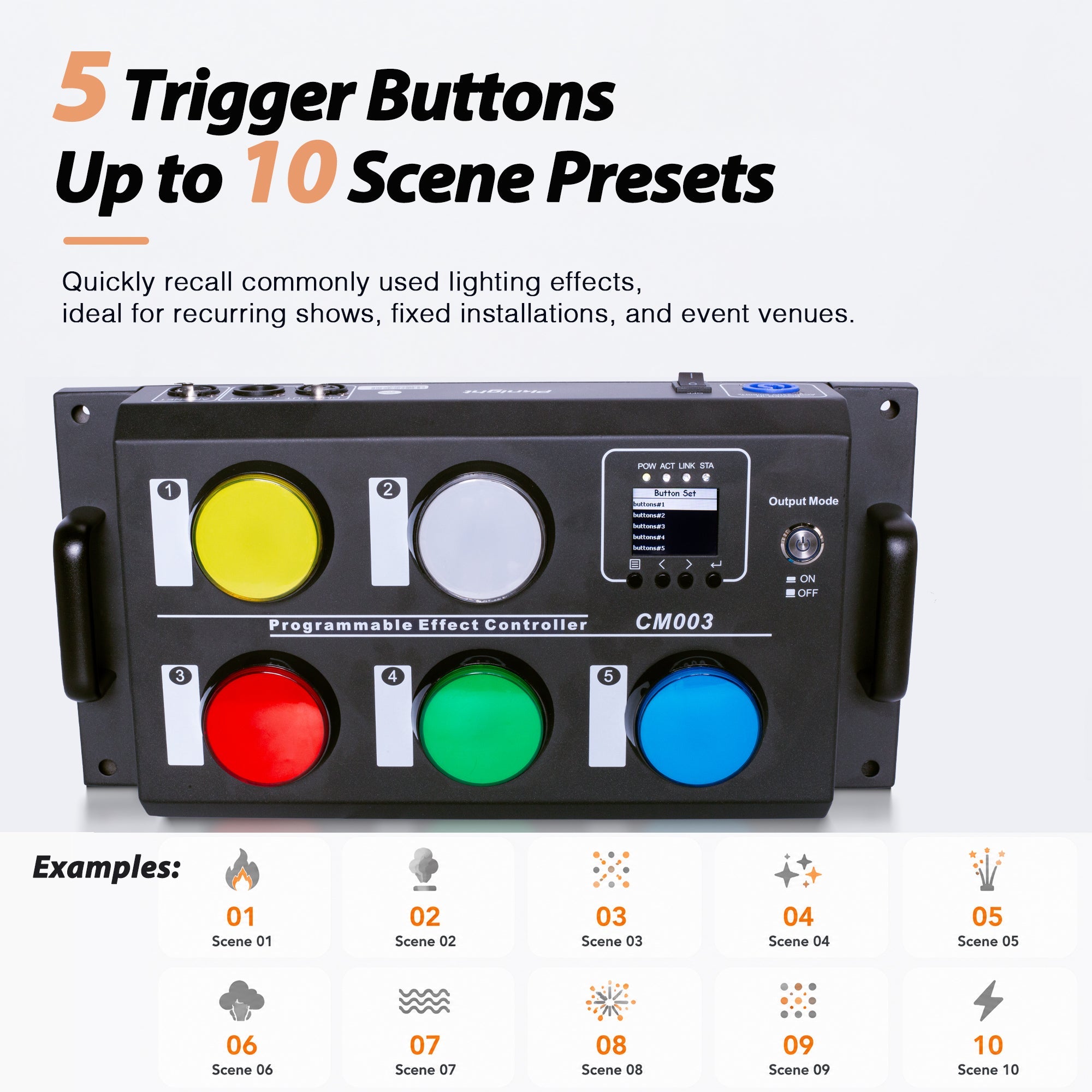
The CM003 provides five physical buttons, and each button can store one scene for On Press and another for On Release. That creates up to ten programmable scene actions across the five buttons.
On Press does not have to mean “everything on,” and On Release does not have to mean “all channels at zero.” Each scene is a recorded DMX state across the address range assigned to that button. The correct inactive state depends on the fixture or effect machine's DMX chart.
For example, a lighting button might recall a blue stage look on press and a warm general look on release. A fog-machine button might recall the approved output value on press and the manufacturer's defined stop value on release.

Always program both states deliberately. Leaving the release state untested is one of the easiest ways to create a button that starts correctly but does not return to the intended condition.
Use Hold for Momentary, Operator-Supervised Actions
In Hold mode, the active behavior is tied to the operator's hand. The operator presses and holds the button to recall the On Press scene. Releasing the button recalls the On Release scene.
Hold is a good fit when duration should be obvious and directly supervised, including:
- a short fog or haze burst;
- a temporary lighting accent;
- a fixture test or focus check;
- a talkback-style work-light cue;
- a brief audience or stage highlight.
The main advantage is intuitive timing. The operator can see, hear or feel the duration of the action because the button must remain held. The limitation is that the operator cannot walk away while the active state continues.
Momentary control is not a safety system. For flame, pyrotechnics, cold spark, CO₂ or other hazardous effects, Hold mode does not replace manufacturer safety interlocks, arming procedures, emergency stops, exclusion zones, local rules, risk assessment or a trained authorized operator.
Use Toggle for States That Should Remain Active
In Toggle mode, the operator does not need to keep a finger on the button. One press selects the first recorded state; the next press returns to the second state. The selection remains active between presses.
Toggle is a practical choice for:
- a house-light or work-light state;
- a sustained stage look;
- a low-level haze or atmosphere state approved for continuous use;
- an exhibition or display look;
- a venue mode such as “Open,” “Show” or “Cleaning.”
Toggle reduces operator effort for cues that may remain active for minutes or hours. However, the current state can be less obvious from a distance. Use clear labels, train staff to recognize the active state, and test how the system behaves after a power cycle before live use.
Use OFF to Disable a Button You Do Not Want Operated
OFF is useful for an unused button, a temporarily removed cue, or a control that should not be available to routine staff. Disabling an unused position is usually clearer than leaving an old or unknown scene behind it.
OFF is an operational convenience, not an access-control or safety-lock function. If a hazardous system must be secured, use the safeguards required by that system and the venue.
Where Button Mode Is Set on the CM003
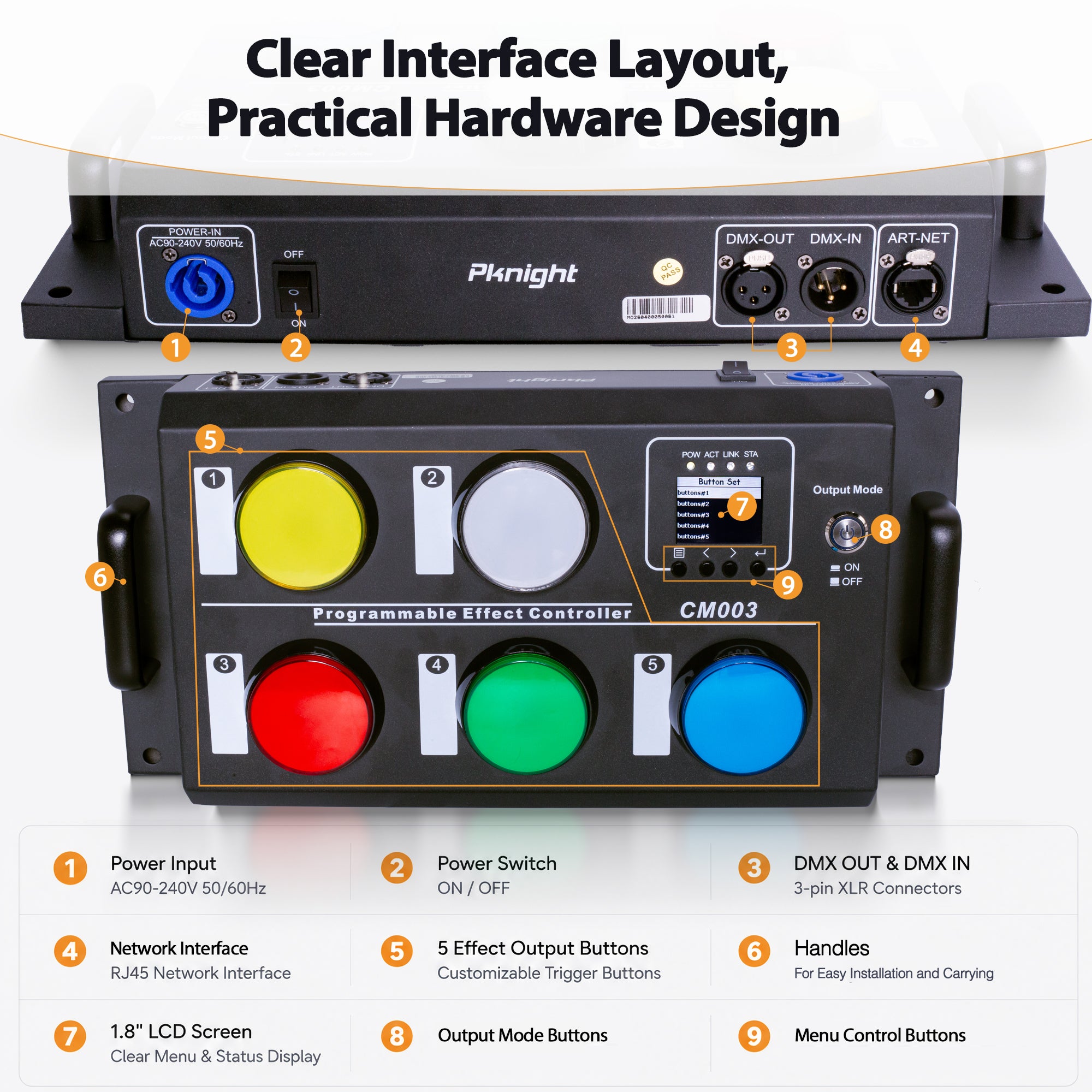
Button Mode is configured inside the selected button's setup menu. The available choices are Hold, Toggle and OFF.

The front status screen can show the selected mode for each button. This is useful during commissioning: compare the display with the written cue list before testing the physical buttons.
Build a Five-Button Plan That Matches Operator Intent
Do not assign modes simply to make every button different. Start from the real operating task. One practical venue plan could be:
- Fog Burst — Hold: output lasts only while the authorized operator holds the button.
- Atmosphere — Toggle: selects a low approved haze state, then returns to the planned inactive state on the next press.
- Show Look — Toggle: selects a sustained lighting scene.
- Accent — Hold: provides a temporary highlight.
- Spare — OFF: prevents an unfinished cue from being used.

Labels should describe the outcome, not the technology. “FOG BURST” is better for event staff than “Button 1 Hold.” If the release action is important, include it in the operating sheet: for example, “release to stop” or “press again to return.”
How to Program a Hold or Toggle Button
The recording workflow is similar for either mode:
- Connect the programming console or software through DMX512, Art-Net or sACN.
- Open Button Set and select the required button.
- Set StartAddr, Channels and Devices for the intended DMX range.
- Build the active state on the console.
- Open On Press, choose Scene Record, and hold Enter for approximately two seconds to save.
- Build the return, inactive or alternate state on the console.
- Open On Release, choose Scene Record, and save it in the same way.
- Open Button Mode and select Hold, Toggle or OFF.
- Save the setting, then test the actual button through a complete press-and-release or two-press cycle.

Do not record an assumed “off” value. Read the controlled device's current DMX chart and use its defined inactive state. Some devices require more than one channel to be placed in a safe or neutral condition.
Test the Interaction, Not Just the DMX Values
A cue is not finished when the active look appears. Commission the complete human interaction.
For a Hold button, verify:
- the On Press scene appears when the button is pressed;
- it remains correct while the button is held;
- the On Release scene appears immediately when released;
- repeated short presses behave consistently.
For a Toggle button, verify:
- the first press selects the intended active state;
- the state remains after the button is released;
- the second press recalls the intended alternate state;
- staff can tell which state is currently active;
- startup and power-cycle behavior is understood.

Also test the complete controlled device. A fog or haze machine may still be warming up, low on fluid or in a local protection state even when the recorded DMX value is correct.
Common Button-Mode Mistakes
The Cue Stops as Soon as the Operator Lets Go
The button is probably in Hold mode. Use Toggle when the scene should remain selected after a brief press.
The Cue Keeps Running After a Brief Press
The button may be in Toggle mode. If the operator should directly control duration, select Hold and verify the On Release scene.
The Second State Is Wrong
Re-record On Release using the complete intended channel state. Check the assigned start address, channel count and device count before recording again.
Staff Cannot Remember Which Buttons Latch
Use plain-language labels and keep a visible cue map near the controller. A mixed Hold/Toggle panel is easy to operate when each label tells the user what will happen.
An Unused Button Still Recalls an Old Scene
Set that button to OFF until a new cue has been programmed and commissioned.
A Simple Rule for Choosing the Mode
Ask one question: Should the output continue after the operator removes their hand?
- If no, start with Hold.
- If yes, start with Toggle.
- If the cue should not be available, use OFF.
Then program and test both recorded states. This small design decision makes the CM003 easier to hand over to DJs, hosts, venue staff and stage assistants because the physical interaction matches the cue's real purpose.
For scene-recording fundamentals, read How to Record and Play Back DMX Scenes Without a Lighting Console. For effect-machine applications, see How to Control Fog Machines and Stage Effects with a DMX Button Controller.
View the Pknight CM003 product details.
Frequently Asked Questions
Is Hold the same as momentary control?
Yes. On the CM003, Hold is the momentary button mode: the press state is active while the button is held, and releasing the button recalls the release state.
What is the difference between Toggle and Hold?
Hold requires the operator to keep pressing for the active state. Toggle selects a state with one press and returns to the second state with the next press.
Can each CM003 button have different modes?
Yes. Each of the five buttons can be configured for Hold, Toggle or OFF according to its assigned cue.
Why are there ten scene actions if the CM003 has five buttons?
Each button can store an On Press scene and an On Release scene, providing up to ten programmable actions across five buttons.
Should On Release always be all zeros?
No. Use the exact return or inactive values required by the controlled device and the intended show state.