
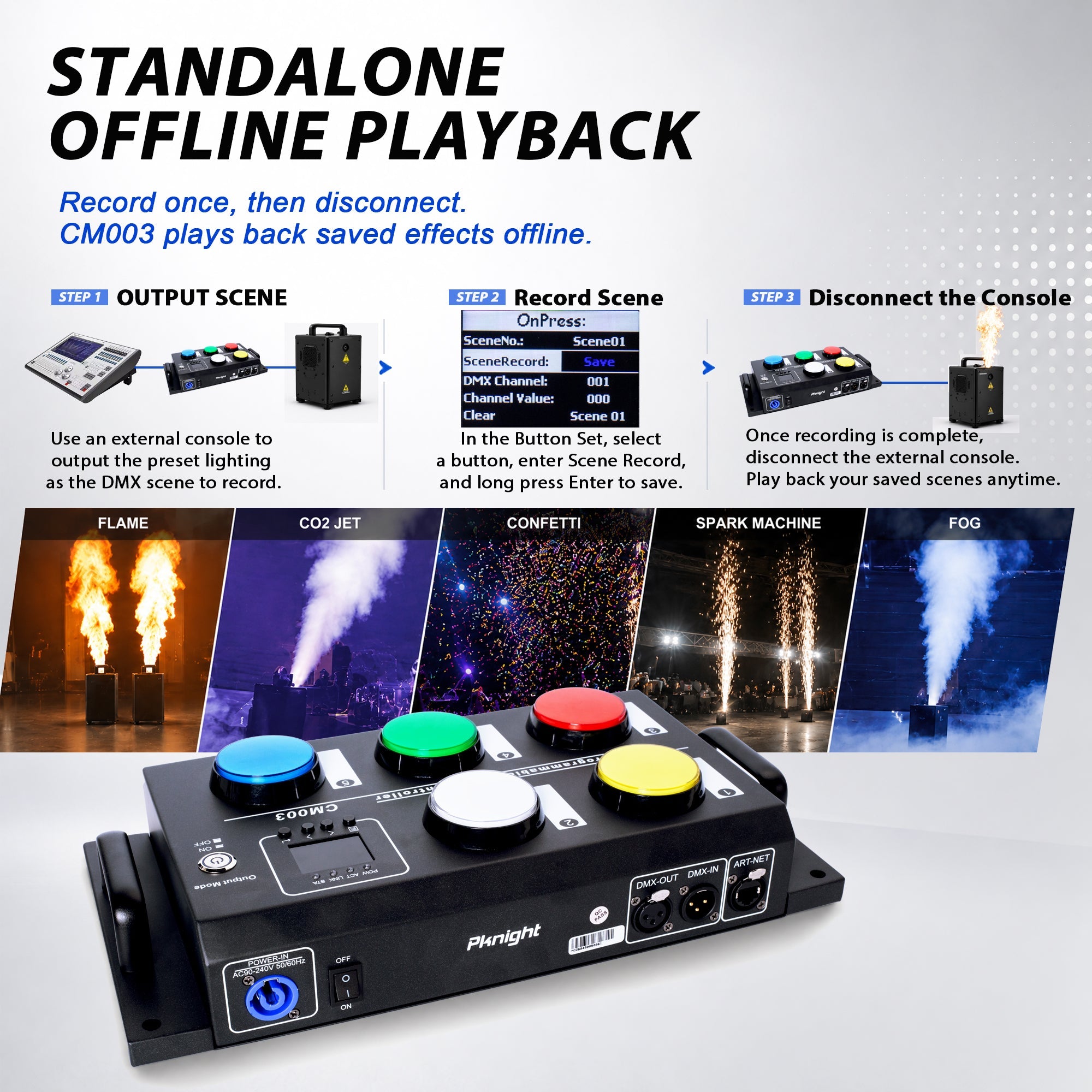
One fog machine is easy to understand. Five fog machines spread across a stage, wedding venue or immersive attraction create a more interesting control problem. Should every machine use the same DMX address and mirror the same output? Should each machine receive its own address? How do you keep the cabling reliable, avoid channel overlap and give the operator one simple button to press?
The best answer depends on the show design. The Pknight CM003 can record the complete DMX state across a planned channel range, then recall that state from a physical button. This makes it possible to turn a multi-machine setup into a small set of repeatable group cues—without asking the event operator to manage individual channel values during the show.
This guide explains the planning process using the CM003 manual's example of five identical two-channel fog machines beginning at DMX address 001.
First Decide: Mirrored Output or Individual Control?
Before connecting cables or recording scenes, decide how the machines should behave.
Option 1: Give Identical Machines the Same Address
When identical fog machines share the same start address and DMX personality, they respond to the same channel values. If address 001 controls output and address 002 controls another function, every machine set to 001 receives the same command.
This is the simplest approach when all machines should always operate together. It uses only one device-sized block of channels and makes programming easy. The limitation is equally clear: you cannot give one machine a different recorded value from the others because they all listen to the same addresses.
Option 2: Give Each Machine a Sequential Address Block
With sequential addresses, each machine receives its own non-overlapping block. For five two-channel machines, the address map can be:
- Machine 1: 001–002
- Machine 2: 003–004
- Machine 3: 005–006
- Machine 4: 007–008
- Machine 5: 009–010
This uses more DMX channels, but it allows a recorded scene to contain different values for individual machines. You can create zones, pairs, alternating groups or a coordinated all-machine cue while still recalling the result from one button.

For the sequential approach, the CM003 settings in this example are StartAddr 001, Channels 2 and Devices 5.
Calculate the Address Range Before Programming
The safest way to plan a group is to write the entire address map before setting the machines.
Use this check:
Last used address = StartAddr + (Channels × Devices) − 1
For the five-machine example:
001 + (2 × 5) − 1 = 010
The group therefore occupies addresses 001 through 010. The last used address must be 512 or lower. If another fixture already occupies part of this range, move one of the groups so that the addresses do not overlap.

Do not assume that every fog machine uses two channels. Some machines use one channel, while others provide separate output, fan, color, timer or enable functions. Always use the selected personality in the current manufacturer manual.
Connect the Machines as a DMX Daisy Chain
A typical wired installation starts at the CM003 DMX output, connects to the DMX input of the first fog machine, continues from that machine's DMX output to the next input, and repeats until the final device.

For a reliable data run:
- use proper DMX cable rather than ordinary microphone cable;
- connect devices in a daisy chain;
- place an appropriate DMX terminator at the final output when required;
- do not use passive Y-cables to create branches;
- use a suitable DMX splitter when the installation genuinely needs multiple branches;
- keep power distribution separate from DMX data planning and follow each machine's electrical requirements.
The CM003 also supports Art-Net and sACN recording workflows, but the final DMX output path to the machines still needs correct addressing and reliable physical data distribution.
Why One Button Can Still Recall Different Machine Values
“One button” does not mean “one DMX value.” The CM003 records a scene across the complete assigned range. With sequential addresses 001–010, the console can prepare a different value for each machine, and the CM003 can store that combined state as one cue.
For example, one recorded button might activate machines 1 and 2 while leaving machines 3–5 at their planned inactive values. Another button might recall all five machines at an approved output. The operator still presses one button, but the recorded DMX scene contains the detailed values created by the technician.
This is where sequential addressing becomes more flexible than giving every machine the same address.
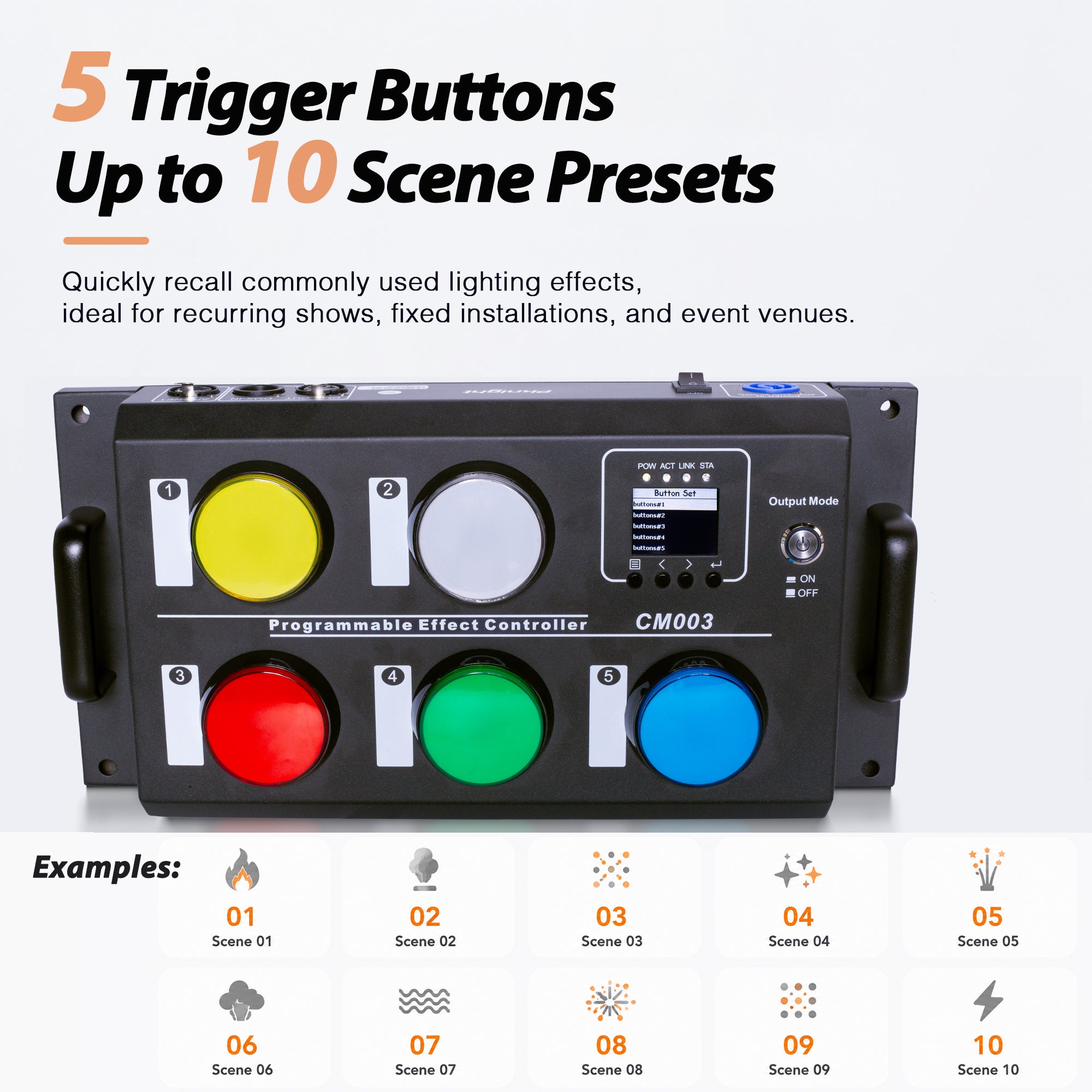
Turn Five Buttons into Useful Group Cues
The physical buttons should be labeled according to the real show purpose. A practical set might be:
- All Foggers: a coordinated group output.
- Zone A: machines covering one side or area.
- Zone B: a second planned group.
- Light Output: a lower approved level for atmosphere.
- Return / Stop: the planned inactive or reset state for the assigned range.

These are examples, not universal values. “Stop” must be programmed using the value required by the actual machine. Button labels should match the venue's language so that operators do not need to remember what Scene 1 or Scene 2 means.
Record the Multi-Machine Cue into the CM003
Once addressing and cabling are complete:
- Connect the programming console or software to the CM003 through DMX512, Art-Net or sACN.
- Test each fog machine individually at its assigned address.
- Build the complete group state on the console.
- Open Button Set on the CM003 and select a button.
- Enter the planned StartAddr, Channels and Devices.
- Open On Press or On Release and select Scene Record.
- Hold Enter for approximately two seconds to save the current values.
- Recall the button and verify every machine in the group.

Program the release state as deliberately as the active state. If the cue should stop when the operator releases the button, record the correct manufacturer-defined inactive values under On Release and use the appropriate button mode.
Warm-Up and Readiness Still Matter
A correct DMX command does not guarantee immediate fog output. Many machines need time to heat and may have ready indicators, fluid sensors, duty-cycle limits or automatic protection. If one machine in a group does not respond, the problem may not be the recorded cue.
Before troubleshooting the controller, check:
- power and warm-up status;
- fluid level and approved fluid type;
- the selected DMX personality;
- the start address on the machine;
- DMX cable direction and continuity;
- termination and any splitter configuration;
- whether the machine is reporting a local fault or protection state.
Commission the Complete System Before the Event
Multi-machine systems should be tested in stages: first each machine, then each zone, then every recorded button, and finally the complete show workflow.

Also confirm venue-specific rules. Fog and haze may interact with smoke detection systems, ventilation and audience comfort. Use approved fluid, follow the device manual, coordinate with the venue, and maintain the required clearance from people, equipment and sensitive surfaces.
Common Problems and What They Usually Mean
Every Machine Responds Together When They Should Not
Check whether the machines accidentally share the same start address. Sequential control requires a unique channel block for each machine.
The Wrong Machine Responds
Look for overlapping addresses or an incorrect channel count. If a machine uses three channels but the plan assumes two, every following address will be shifted.
The Last Machines Flicker or Respond Unreliably
Inspect the DMX run, cable type, connectors and final termination. Long or branched installations may need a proper DMX splitter rather than passive cabling.
One Machine Does Not Produce Fog
Test that machine locally and check its ready state, fluid, address and DMX personality. A recorded value cannot override a machine that is warming up or protecting itself.
The Fog Starts Correctly but Does Not Stop as Expected
Verify the manufacturer's inactive value and the CM003 On Release recording. Do not assume that every machine uses the same stop behavior.
When One-Button Multi-Fog Control Makes Sense
This workflow is especially useful for wedding venues, clubs, mobile DJs, small theaters, exhibitions and immersive attractions that repeat a limited number of effects. A technician can perform the detailed addressing and programming once, while the event operator receives a small set of clearly labeled buttons.
The result is not less control. It is detailed control packaged into repeatable cues.
To understand the broader stage-effect workflow, read How to Control Fog Machines and Stage Effects with a DMX Button Controller. For general scene recording, see How to Record and Play Back DMX Scenes Without a Lighting Console.
View the Pknight CM003 product details.
Frequently Asked Questions
Can several fog machines use the same DMX address?
Yes, identical machines can share an address when they should always mirror the same values. Use unique sequential addresses when the recorded cue needs individual machine control.
How many channels do five two-channel fog machines use?
They use ten consecutive channels. Starting at 001, the complete range is 001–010.
Can one CM003 button trigger different outputs on different machines?
Yes. With unique addresses, the recorded scene can contain different values for each machine while the operator recalls the complete state from one button.
Do I need a DMX terminator?
Follow the equipment and installation guidance for the data run. A properly terminated daisy chain helps prevent signal reflections and unreliable behavior, especially on longer runs.
Does the CM003 control machine warm-up or fluid readiness?
No. It recalls DMX values. Each fog machine still manages its own heating, fluid sensing and protection functions.