
Pknight + SvetoMaster: 60-Day Standard License

Your lighting setup,
ready to begin.
Use any Pknight Art-Net product with SvetoMaster. Purchases of Pknight Art-Net products from our store include a 60-day Standard license, available on request.
Already have a code? Redeem your code →
No payment details required to redeem. No automatic renewal.
PRO and the AI chat assistant are not included.
Standard features for your lighting workflow.
Explore Windows lighting control software with your Pknight Art-Net hardware.
Control your fixtures
Use standard lighting-control features and DMX output, including Art-Net.
Build your show
Program scenes, chases, effects and playlists for your lighting setup.
Preview your setup
Use the 3D visualizer to preview your programming before checking the real fixtures.
Request, receive, then activate.
Ask Pknight for your code
Email info@pknightpro.com with your order number and purchase email. All Pknight Art-Net products purchased from our store are included.
Receive a reply from Pknight
We check your order and reply to your request with a unique code, its redemption deadline and the official activation link.
Activate with SvetoMaster
Enter your code and the email you use for SvetoMaster at the official activation page. Follow the confirmation email and the setup guidance for your product.
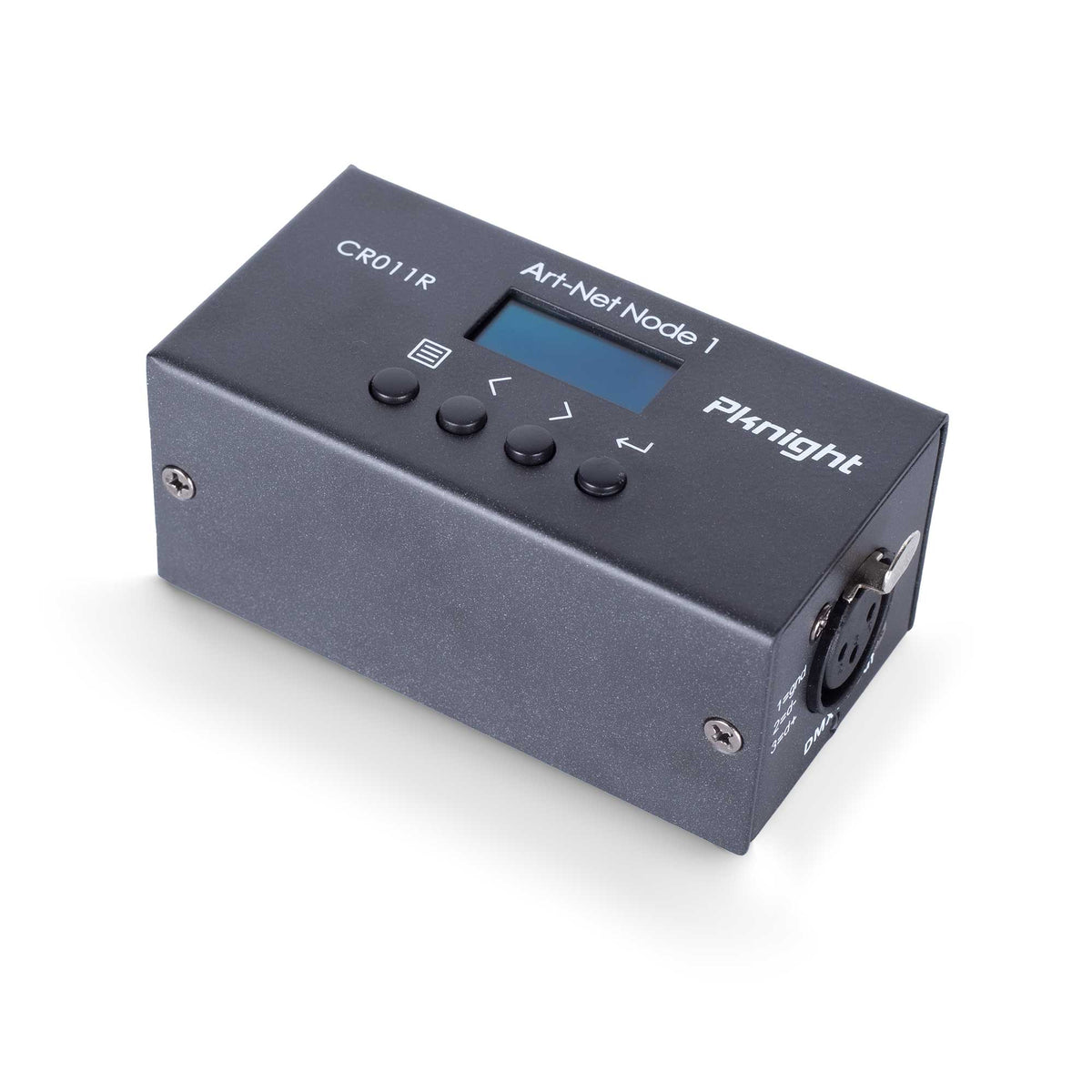
A real setup example: CR011R.
Our illustrated Windows walkthrough shows how SvetoMaster’s network wizard assigns an address and discovers a CR011R. Follow the actual button names and screenshots.
The guide demonstrates CR011R settings. The offer covers the full Pknight Art-Net range.
Read the CR011R setup guide
Help from the right team.
Pknight
Code requests, order verification, hardware connections and device settings.
Contact Pknight →SvetoMaster
Registration, activation, licensing, installation and software use.
Get software support →Before you redeem.
Which Pknight products are included?
All Pknight Art-Net products work with SvetoMaster. Purchases of Pknight Art-Net products from our store include this 60-day Standard license, available on request. Send us your order number and purchase email so we can verify the order.
Does this include PRO or the AI chat assistant?
No. The offer includes the features of a standard paid SvetoMaster license. The separate PRO add-on and AI chat assistant are not included.
When do the 60 days begin?
If you have an active paid license, 60 days are added to its expiry. Otherwise, the 60 days start when you redeem the code. The normal trial is not added on top. An active lifetime license does not need extra days, so the code remains unused.
Can I use an existing account or claim another partner bonus?
You can use your existing SvetoMaster email. This partner bonus is available only once per email address and computer across all partners. Another hardware purchase or a different partner does not create another bonus for the same email or computer.
How many computers can I activate?
You can activate the license on up to two computers at the same time. Manage activations in your SvetoMaster account to deactivate an older computer before activating another.
When must I redeem my code?
Redeem by the exact deadline in your code email. That deadline is separate from the software license period. It does not reset when you purchase hardware or ask us to resend the email.
Do I need payment details, and what happens afterward?
No payment details are required to redeem the offer, and there is no automatic renewal or charge. When a time-limited license expires, your account and saved projects remain. If you wish to continue using the software, purchase a license directly from SvetoMaster.
How do I request or follow up on a code?
Email info@pknightpro.com with your order number and purchase email. We verify your order and reply with your code. If you have already requested one, check your spam folder and reply to the same email thread to follow up. Codes are provided in response to requests; an order alone does not trigger a code email.
What computer do I need?
SvetoMaster is Windows lighting software. Our CR011R walkthrough uses SvetoMaster 1.9.5 on Windows. Check the current official system requirements and the connection instructions for your own Pknight model.
Start with your Pknight Art-Net hardware.
Explore the range, then request your included 60-day SvetoMaster license.