
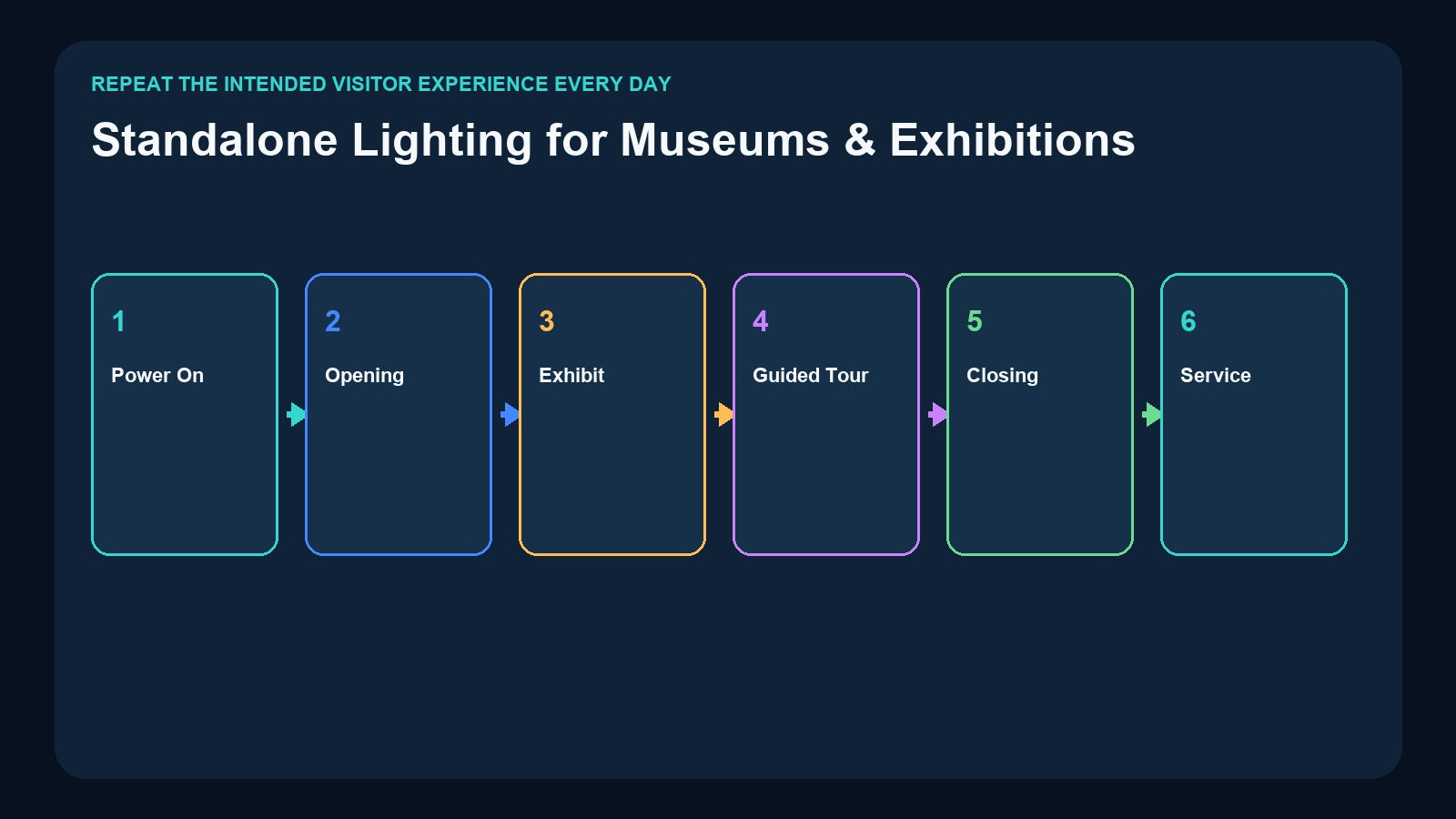
Exhibition lighting has to repeat an intended visitor experience every day, often for months, without requiring the original programmer to remain on site. A gallery may need only several stable states, while an immersive exhibit may contain a changing timeline distributed across multiple rooms and universes.
That makes “standalone playback” more than a recorder feature. It is a complete operating design: the right content must be stored, the correct trigger must be available, power-up behavior must be known, and staff must be able to recover the system.
This guide connects those design decisions to Pknight scene controllers, DMX recorders, Art-Net playback, and fixed-installation control.
Define the Visitor Experience and the Daily Cycle
Begin with two documents. The first is the creative cue list: every lighting state or changing sequence required by the exhibition. The second is the daily operating cycle:
- Power on and system check
- Opening state
- Normal exhibit playback
- Guided-tour or presentation state
- Temporary pause or service mode
- Closing and cleaning state
These lists are related but not identical. A ten-minute immersive show may contain hundreds of DMX changes, while the daily operator may only need Run, Pause, Tour, and Close. Good system design preserves the creative complexity inside the stored program and keeps the staff interface simple.
Document which zones must remain independent. A reception gallery can hold a static look while a theater or display case runs a timeline. If two areas always change together, they may share an operational command. If their schedule, timing, or maintenance ownership differs, keep them separately controllable.
Separate Static Gallery Scenes from Timed Exhibit Content

Static scenes store a snapshot of DMX values. Typical museum examples include Open Gallery, Guided Tour, Presentation, Cleaning, and Close. The Pknight CM003 5-Button Scene Controller can capture static scenes from DMX512, Art-Net, or sACN and replay them through five physical buttons with up to ten On Press/On Release actions.
Timed exhibit content contains DMX changes over time: a simulated sunrise, shifting architectural color, a reveal sequence, moving scenic light, or coordinated changes around media. A snapshot cannot store that motion. Use a recorder that captures the changing DMX stream.
For one universe, the Pknight DR & PB MINI records and plays up to 512 channels, supports program IDs 1–255, and stores content on a removable 32GB microSD card. External playback uses two DMX channels: program selection and dimming.
CM003 and DR & PB MINI therefore solve different problems. CM003 can provide simple physical scene recall and can be deliberately mapped to a recorder’s external control values, but it does not contain the timed sequence itself.
Treat Reliability as Four Layers

Reliable playback is a system property. Review at least four layers.
Content
Confirm that the captured scene or timeline is the approved master. Record the console show-file revision, recording date, duration, program ID, universe mapping, and responsible designer. Never assume the file on the installed card is the only required copy.
Trigger
Choose a trigger staff can understand: physical button, external DMX value, app control, network or serial command, or a facility automation workflow. Label every command by purpose. “Start Main Exhibit” is more useful to operations than an unexplained numeric value.
Recovery
Define the state after a power interruption, application restart, missing network source, or incomplete program. Products differ in resume behavior. For example, DR & MP 1024 supports automatic resumption of the last active program after power interruption; that specific behavior should still be tested in the installed system.
Backup and change control
Keep duplicate storage media, original console files, program maps, network configuration, and a revision log. When content changes, update the working system and backup set together. See How to Back Up DMX Recorder Shows for a practical backup method.
Give Staff Predictable Daily Modes

Museum staff should not have to edit fixtures. Create an operating page or physical control set around actions they already perform:
- Open: bring public areas to the approved opening state.
- Run: start or select normal exhibit playback.
- Tour: recall a state appropriate for guided interpretation.
- Pause: stop or hold content using the documented product behavior.
- Close: move to the planned closed state.
- Maintain: provide practical illumination for cleaning and technical service.
Not every installation needs all six choices, and the exact stop or pause command depends on the selected device. The important point is that the operator vocabulary and the device mapping are documented together.
If a physical CM003 scene is used to control another recorder, reserve the recorder’s external control channels and record the exact values. Test every button against the actual stored program map. Provide designed switching, routing, or merge equipment where more than one DMX source may exist; never connect competing sources casually.
Scale from One Universe to a Networked Exhibition

Compact one-universe exhibit
DR & PB MINI is a compact choice for one changing timeline within 512 channels. Removable microSD supports file backup and replacement procedures, while external DMX selection can connect playback to another control layer.
Two-universe media installation
The Pknight DR & MP 1024 supports two universes, up to 1024 channels, and up to 255 programs. It can match stored music to DMX shows, run once by music or DMX duration, or loop continuously. This is useful where the exhibit’s approved audio and lighting are supplied as one stored package.
Four-universe Art-Net exhibition
The Pknight 4-Universe Art-Net DMX Recorder/Player supports four Art-Net universes, up to 2048 channels, four Art-Net-to-DMX outputs, selectable DMX input to Art-Net operation, microSD recording and standalone playback, external two-channel DMX playback control, RDM-ready outputs, and DHCP or manual IP configuration.
This combination of network node and recorder fits an exhibition where Ethernet carries several universes to a central or distributed output location. Commission universe mapping, IP addressing, switch topology, output assignment, and physical DMX cable paths as one documented system.
Four-port fixed-installation integration
The Pknight CM002 provides four DMX inputs and outputs, TF-card recording and standalone/loop/one-touch playback, CM-Pro app control, audio outputs, and TCP/UDP/RS485 command integration.
CM002 suits an exhibition or visitor center where lighting must respond to a central AV, interactive, or smart-building system. The app can support authorized staff operation, while network or serial commands connect to the wider installation.
Choose the architecture from the fixture patch, content type, signal transport, trigger interface, and maintenance responsibilities. Four physical rooms do not automatically require four universes, and four outputs do not automatically equal four visitor zones.
Coordinate Lighting with Media and Interactive Systems
An immersive exhibit may involve video servers, audio playback, sensors, show control, and lighting. Assign one system as the timing authority. If a media server owns the master timeline, it can issue a tested trigger to the lighting recorder. If the lighting player supplies stored music, downstream audio and display systems must be designed around that ownership.
Record the direction of every command and the expected acknowledgement or visual result. Avoid circular control where two systems can start or override one another without a defined priority.
For interactive exhibits, consider what happens when visitors trigger repeatedly, leave halfway through, or activate two sensors at once. Debounce, lockout, queueing, and reset behavior may belong to the central control system rather than the DMX recorder. The recorder should replay approved lighting content; broader interaction logic should remain in the layer designed for it.
Protect Objects, Visitors, and the Creative Intent
Stored playback must remain within the approved conservation and safety plan. Verify intensity, exposure duration, ultraviolet or infrared considerations where relevant, emergency lighting independence, egress visibility, and accessibility needs with the responsible specialists.
Do not use a general-purpose DMX playback system as a substitute for life-safety controls. Emergency and code-required lighting must follow the applicable project design and local requirements.
Also check fixture behavior over a full operating day. A short rehearsal may not reveal thermal issues, fan noise, drifting focus, mechanical wear, or a loop transition visible only after many cycles. Run the final program for its real duration and inspect the exhibit from the visitor route.
Commission the Handoff, Not Just the Playback

A museum installation is not complete until operations staff can open, run, close, and recover it. The handoff package should include:
- Fixture patch, universe map, and physical output map
- Recorder model, firmware reference, program IDs, and durations
- Button, DMX, app, network, or serial trigger mapping
- Normal startup and shutdown order
- Power-loss and restart procedure
- Backup media and restoration steps
- Network addresses and switch-port documentation
- Contact and escalation information
- Change log for future content revisions
Test a cold start with the original programmer absent from the control position. Ask a representative staff member to follow only the written guide. Any step that requires an undocumented assumption should be corrected before opening.
Then run the exhibit continuously for at least the expected daily operating period. Verify loop boundaries, synchronization, memory-card playback, network stability, fixture temperature, and the closing transition.
Product Map for Museums and Exhibitions

| Exhibition requirement | Pknight workflow |
|---|---|
| Five physical buttons for approved static gallery states | CM003 |
| One-universe changing exhibit timeline | DR & PB MINI |
| Two-universe show with matched stored music | DR & MP 1024 |
| Four-universe Art-Net recording, node output, and standalone playback | 4U Art-Net Recorder/Player |
| Four physical DMX paths with app, audio, and system commands | CM002 |
The products can occupy different layers in one project, but signal ownership and trigger priority must be explicit. Select content first, scale from the completed patch, and make daily recovery part of the design.
Frequently Asked Questions
Can CM003 store an animated exhibit sequence?
No. CM003 stores static scene actions. Use a timeline-capable recorder for DMX changes over time.
Which recorder fits a one-universe museum exhibit?
DR & PB MINI records and plays one universe up to 512 channels and supports program IDs 1–255 on removable microSD storage.
When should an exhibition use the 4U Art-Net Recorder?
Use it when the patch requires up to four Art-Net universes and the project benefits from integrated network-node outputs and standalone microSD playback.
Can the exhibit start automatically every morning?
The complete automation design depends on the selected product and external control system. Confirm supported start/resume behavior, build the correct command workflow, and test a real cold start before opening.
What is the most important handoff document?
The program and trigger map is essential, but it must be accompanied by the patch, startup/shutdown instructions, recovery steps, backups, and contact information.
Need help matching a recorder to your DMX system? Review the linked product pages or contact Pknight with your universe count, signal type, playback content and preferred trigger method.