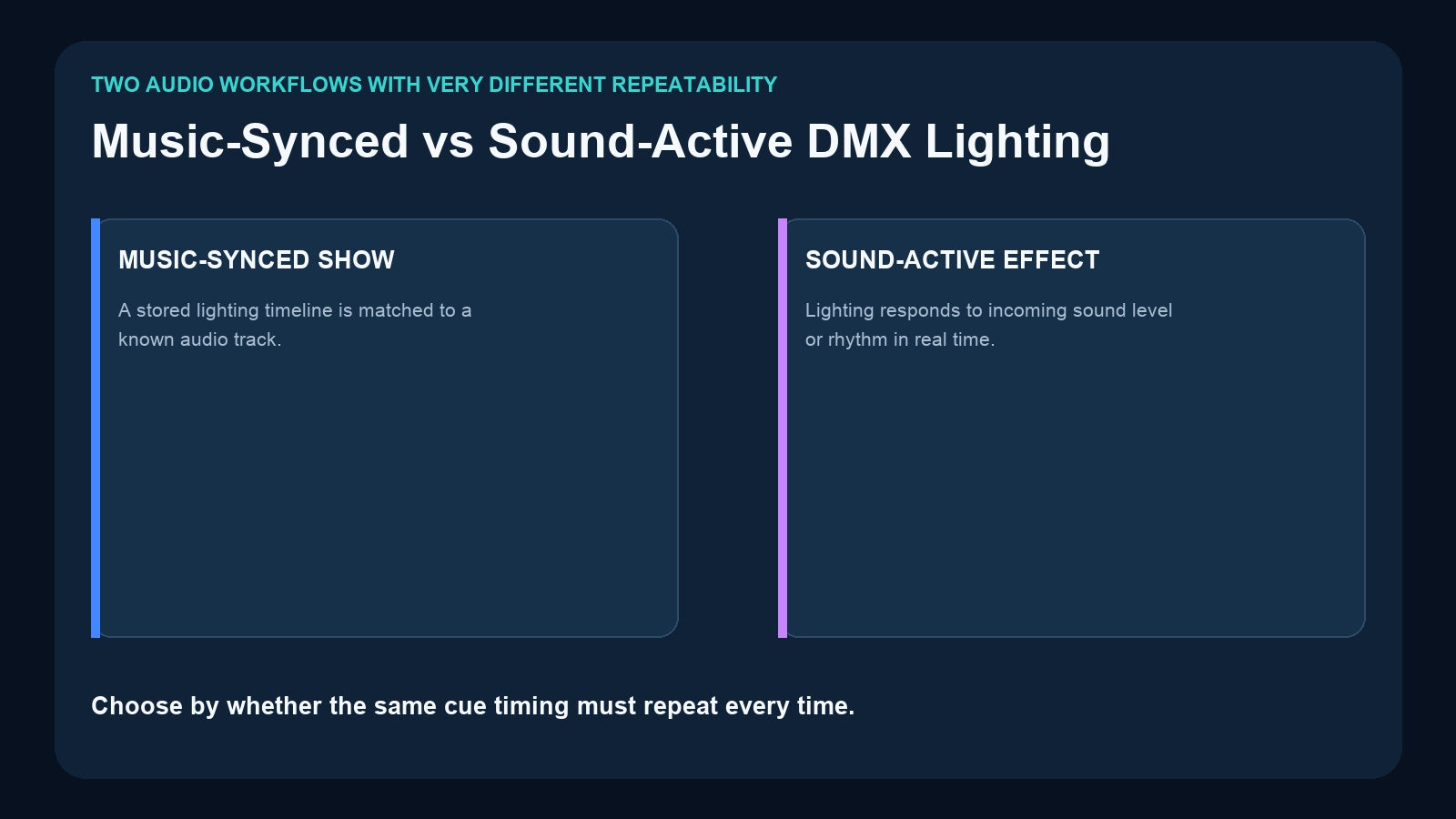
“Lights that follow music” can describe two very different systems. In a music-synced show, a known DMX timeline is matched to a specific stored audio track. In a sound-active system, lighting responds to live audio input in real time. Both can create energetic results, but they differ sharply in repeatability, programming effort, operator control, and suitable applications.
The distinction matters when choosing a recorder. If the color change, reveal, blackout, or moving-light cue must happen at the same musical moment every time, sound-active reaction is not enough. You need a stored lighting program and a known playback relationship with the audio.
The Short Difference
A music-synced show is preprogrammed. The designer knows the track and places lighting changes along its timeline. Starting the program starts a repeatable performance.
A sound-active effect is reactive. The system analyzes some property of incoming sound—depending on the equipment—and changes lighting in response. Because the input changes, the exact lighting result can change as well.
This leads to a practical rule:
- Choose music-synced playback when timing is part of the story.
- Choose sound-active or live control when flexible reaction matters more than exact repetition.

What Music-Synced Playback Means
In a stored music-sync workflow, the lighting program and audio track are prepared as a pair. The lighting designer programs the DMX output to the intro, verse, transition, drop, speech, reveal, or finale. The final DMX timeline is recorded, and the corresponding media is stored for playback.
This approach suits:
- Wedding entrances and first dances
- Product launches and unveilings
- Themed attractions
- Choreographed stage segments
- Museum and exhibition presentations
- Branded retail experiences
- Repeatable party or DJ show packages
The value is not that the recorder “listens” to the music. The value is that the show was deliberately created for a known track and can be repeated.
What Sound-Active Lighting Means
Sound-active lighting responds to live audio rather than following a prebuilt timeline. The exact method depends on the fixture, controller, or software: it may react to level, beat, frequency bands, or another audio-analysis method.
This can work well for informal dance floors, changing playlists, small parties, or situations where fast setup matters more than choreographed timing. It can also reduce programming work.
However, it has limitations:
- A quiet and loud version of the same track may produce different behavior.
- Microphone position and room noise can affect the result.
- A specific cue may not land on a specific lyric or beat.
- Movement and color choices may be less intentional.
- Rehearsing the exact result is difficult.
Do not assume that a product with audio outputs or stored music automatically provides a sound-active analysis mode. Confirm the exact current specification of the product being considered.
Choose by the Event Requirement

Wedding reveal
If the doors open at 00:42, the room changes color at 00:47, and a highlight lands at 00:51, use a programmed music-synced show. The timeline must be repeatable and tested.
DJ dance floor
If the playlist changes continuously and the goal is general energy rather than exact cues, sound-active behavior or live busking may be more appropriate. A stored show can still be used for planned introductions or special moments.
Themed attraction
When every visitor should experience the same lighting and audio sequence, use stored music-synced playback. Consistency is more important than reacting to ambient sound.
Banquet hall
A banquet hall may need both: programmed music-and-lighting packages for entrances, plus app or central-control selection for staff. The trigger and integration workflow is as important as the recorded content.
How to Build a Repeatable Music-Synced Show

1. Lock the audio version
Use the final approved audio file. A shortened intro, remastered track, added silence, or different edit changes the relationship between music and lighting.
Give the file a clear name and version. Do not replace it later with another file that happens to have the same title.
2. Program the DMX timeline
Create the lighting on a console or software system. Mark important musical moments and program fades, color changes, movement, and blackout timing deliberately.
Test the fixture patch and universe count before recording. A correct timeline cannot compensate for an incorrect address or missing universe.
3. Record the complete show
Start recording before the first required DMX change and stop after the final intended state. Include enough time to ensure the beginning and ending are not clipped.
Watch the complete capture rather than assuming the recording is correct because the first cues work.
4. Match the media and program
Store the correct music file with the correct DMX program according to the recorder workflow. Document the Record ID and the descriptive show name.
5. Test start, end, loop, and restart
Test normal playback, repeated playback, changeover to another program, power interruption, and operator triggering. Confirm what determines the end of the show.
DR & MP 1024 for Stored Music and Lighting
The Pknight DR & MP 1024 is designed for a stored music-and-DMX workflow.
It supports:
- Two DMX universes, up to 1024 channels
- Up to 255 DMX programs identified by Record ID
- Playback of recorded DMX shows with matched music tracks stored in the device
- Single-run playback based on music-track length or DMX-program duration
- Continuous loop playback
- Automatic resumption of the last active program after power interruption
- Removable 32GB microSD for show and media backup/transfer
- Optional USB wireless trigger and companion app

This product fits weddings, parties, small performance spaces, themed events, and installations where the recorder itself must manage repeatable stored lighting and audio playback.
Why Playback Mode Matters
The end condition changes the audience experience.

Run by music duration
The stored track defines the playback length. This is useful when the audio is the master structure and the lighting should stay with it.
Run by DMX program duration
The recorded lighting timeline defines the show length. This can be useful when the DMX program includes a deliberate final hold or transition.
Continuous loop
The program repeats until the operator or system changes playback. This suits displays and repeating environments, but the loop point must be tested so the end and beginning connect acceptably.
Document the selected mode for every Record ID. Otherwise, two programs that look similar may behave differently at the end.
Where CM002 Fits
The Pknight CM002 takes a broader fixed-installation approach. It provides four DMX inputs and outputs, TF-card standalone and loop playback, CM-Pro app control, 3.5mm and left/right TRS audio outputs, and TCP/UDP/RS485 integration.

Choose DR & MP 1024 when the central requirement is two-universe DMX playback matched with stored music. Consider CM002 when the project also requires four physical DMX paths, app-based management, audio outputs, and connection to a central AV or smart-venue system.
CM002’s audio outputs make it suitable for music-oriented installations, but do not describe it as a sound-active analyzer unless the current product documentation explicitly specifies that behavior.
Operational Details That Prevent Sync Problems
Even a correctly programmed show can fail operationally if the wrong file or ID is selected. Use these controls:
- Give every program and music file a unique, versioned name.
- Maintain an ID-to-show list for operators.
- Back up lighting and music together.
- Avoid replacing the audio without rechecking the timeline.
- Test the actual trigger method: local controls, wireless app, or automation.
- Verify audio output routing and amplifier readiness.
- Test after a full power cycle.
- Keep one approved restore copy separate from the working card.
For storage procedures, read How to Back Up DMX Recorder Shows.
Frequently Asked Questions
Is music-synced lighting the same as sound-active lighting?
No. Music-synced lighting follows a programmed timeline matched to a known track. Sound-active lighting reacts to live audio input.
Which approach is more repeatable?
A stored music-synced show is more repeatable because the audio version and DMX timeline are fixed and tested together.
Can DR & MP 1024 loop a music-and-lighting program?
It supports continuous loop playback as well as single-run modes based on music or DMX program duration.
Does an audio output prove that a controller is sound-active?
No. Audio output, stored music playback, and live sound analysis are different features. Always check the current product specification.
Final Recommendation
Choose sound-active or live control when the music changes and approximate real-time reaction is acceptable. Choose stored music-synced playback when cues must land at known moments and the same performance must repeat.
For two-universe shows matched with stored audio, DR & MP 1024 is the focused Pknight solution. For a four-port fixed installation that also needs app control, audio outputs, and AV automation integration, evaluate CM002. In either case, lock the audio version, document the Record ID, and test the complete playback path—not only the lighting timeline.
Need help matching a recorder to your DMX system? Review the linked product pages or contact Pknight with your universe count, signal type, playback content and preferred trigger method.