
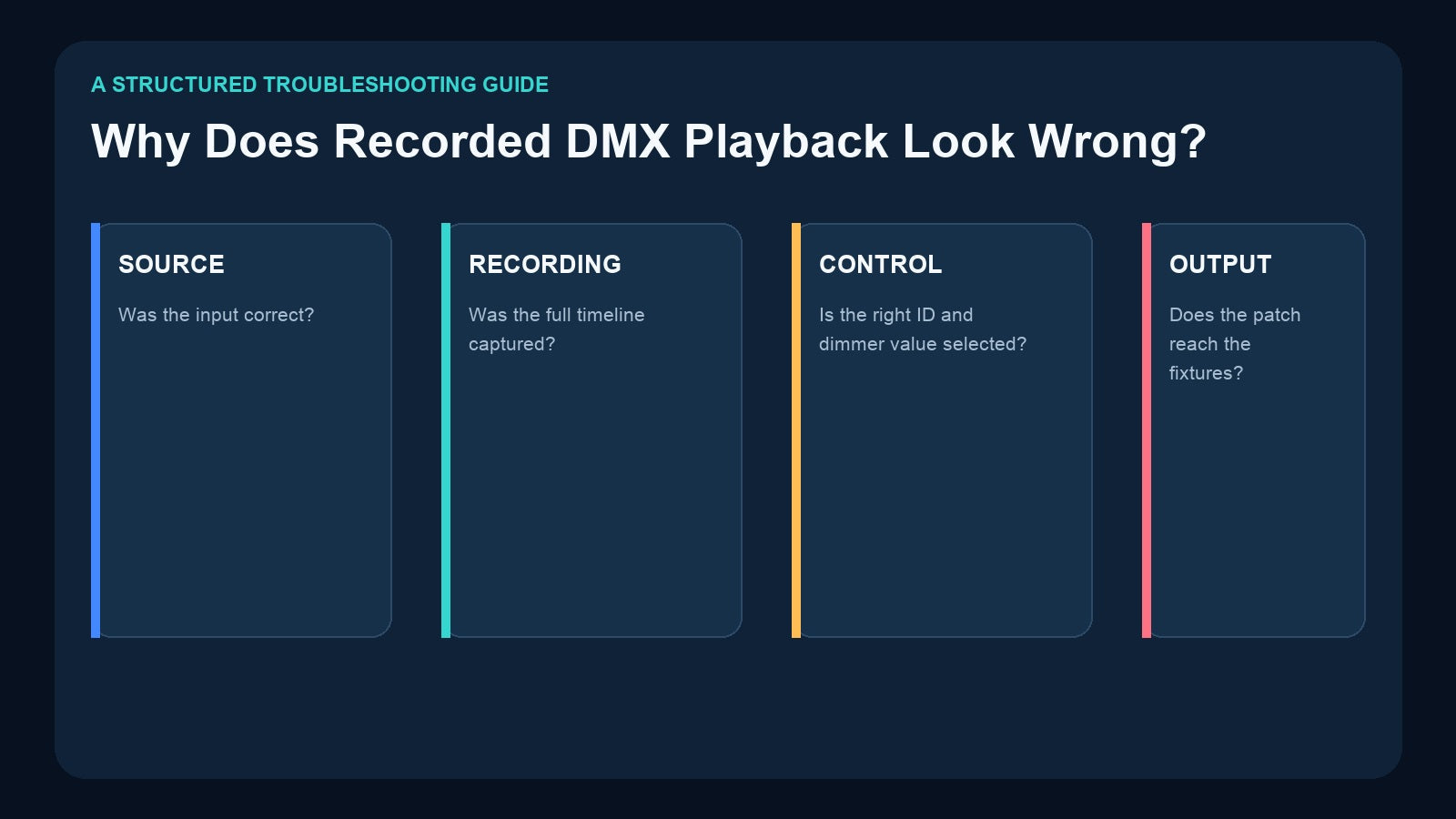
A recorded DMX show may play with the wrong colors, missing movement, low intensity, flicker, an early ending, or no output at all. The recorder is often blamed first, but the fault can exist before recording, inside the stored program, in the playback-control values, or after the recorder output.
The fastest way to diagnose the problem is to divide the system into layers and find the first point where the expected result changes. Randomly rerecording the show or changing several settings at once makes the fault harder to isolate.
First Confirm the Expected Result
Before touching cables or settings, define what “correct” means:
- Which Record ID or show should be playing?
- Which fixtures and universes should respond?
- What is the expected starting look?
- How long should the sequence run?
- Should it stop, hold, or loop at the end?
- Is master dimming expected to be full or reduced?
- Is music part of the program?
Use the approved source show, video reference, commissioning notes, or a known-good backup. Without a reference, troubleshooting can become a debate about creative intent rather than a technical diagnosis.
Troubleshoot in Four Layers

Layer 1: Source and input
Was the incoming DMX or Art-Net data correct while recording? Check the console output, software universe, physical cable, addresses, and the complete live show before recording.
If the source already flickers or omits one universe, the recorder can only capture that problem.
Layer 2: Recording and storage
Was the correct Record ID selected? Did recording start early enough and stop after the final cue? Is the approved card and version installed? Does the file exist and have a plausible size?
Layer 3: Playback control
Is the correct program being selected locally or externally? Is the master dimming control set to the intended value? Is the playback mode single-run or loop? Is a different trigger source changing the selection?
Layer 4: Output and fixtures
Does the recorder output reach the correct universe, DMX port, splitter branch, and fixture line? Are the fixture addresses and personalities still the same as when the show was recorded?
Move through these layers in order. When the source is confirmed but playback is wrong, focus on recording and selection. When recorder output is correct but fixtures are wrong, focus downstream.
Symptom: Nothing Plays
Start with simple conditions:
- Confirm the recorder is in playback mode, not record or diagnostic mode.
- Select a known-good Record ID locally.
- Check the master dimming value.
- Confirm the output cable is connected to the intended port.
- Verify the fixture line works with a known-good DMX source.
- Confirm the storage card and approved content are present.
With external DMX control, a valid program-selection value is only half of the command. A very low dimming value can make correct playback appear almost dark.
Symptom: The Wrong Show Plays
The most common causes are an incorrect Record ID, outdated operator documentation, or another trigger source sending a different selection.
For DR & PB MINI and the 4-Universe Art-Net Recorder/Player, external DMX uses a two-channel control concept:
- Channel 1 selects program/show 1–255.
- Channel 2 controls master dimming 1–255.

Check the recorder starting address, source patch, programmed channel value, and the ID-to-show list. Do not assume a fader label is still correct after programs have been rerecorded.
Also test local selection. If the correct show plays locally but not externally, the stored content is probably not the first place to investigate.
Symptom: The Show Is Too Dim
Check three different types of dimming:
- Intensity values inside the recorded show
- External playback master dimming
- Fixture or downstream-system limits
An external dimming channel intentionally scales playback. Verify it with a defined value from the current product specification. Do not treat zero or another undefined value as a special command unless the manual explicitly defines it.
If only some fixtures are dim, compare their personality and channel patch. The problem may be an attribute mismatch rather than the recorder master.
Symptom: Colors or Positions Are Wrong
This often indicates that fixture addressing or personality changed after recording.
A recorded DMX timeline stores channel values, not a semantic instruction such as “all moving heads blue.” If a fixture previously used a 16-channel mode but now uses a 24-channel mode, the same values control different attributes.
Check:
- Fixture model and personality
- Starting address
- Universe number
- Physical output line
- Any fixture replacement since commissioning
- Whether the recorded channel range included every required attribute
For static scenes captured with CM003, also verify the configured start address and channel range for the button action. A scene cannot reproduce channel data that was outside its captured range.
Symptom: Movement or a Fade Ends Early
A static scene records one state; a sequence recorder captures changes across time. First confirm the correct content type was used. See DMX Scene vs Sequence vs Show if this distinction is unclear.
If a sequence ends early:
- Confirm recording did not stop before the final cue.
- Check the source console completed the full effect.
- Verify the correct file/version is installed.
- Confirm playback is not using a different end condition.
- Check whether an external trigger changes Record ID during playback.
Rerecord only after identifying what was missing. Otherwise, the same source or operation error may be captured again.
Symptom: Flicker or Missing Updates
Flicker can come from unstable source data, cabling, distribution, fixture behavior, or an incomplete network path.
DR & PB MINI includes a Packet Loss Detection mode intended to test the integrity of the DMX data flow. This is useful for checking whether incoming updates arrive consistently and can help reveal signal instability before recording.

Packet-loss testing does not replace:
- Address and personality checks
- Record ID verification
- Master dimming checks
- Card/version checks
- Art-Net universe mapping
- Physical DMX cable and termination inspection
Use it as one diagnostic for the input signal, not as a universal explanation for every playback fault.
Symptom: One Art-Net Universe or Output Is Missing
In a network recorder, the show can be correct while the mapping is wrong.

For the Pknight 4U Art-Net Recorder/Player, verify:
- Ethernet link and switch path
- DHCP or manual IP configuration
- Source Art-Net universe numbers
- Recorder universe mapping
- Assignment of each universe to the four DMX outputs
- Physical port labels and fixture lines
- Whether RDM-ready output or standard DMX output mode is appropriate for the connected equipment
When RDM is not needed, the product page recommends standard DMX OUT for maximum compatibility and stability. Do not change several network and output settings together; test one layer at a time.
Symptom-to-First-Check Map

| Symptom | First checks |
|---|---|
| Nothing plays | Program ID, master dimming, playback mode, output cable |
| Wrong show | ID mapping, trigger source, current card/version |
| Too dim | External dimming value, recorded intensity, fixture limits |
| Wrong color/position | Fixture mode, address, universe, captured channel range |
| Sequence ends early | Recording start/stop, source duration, playback mode |
| Flicker | Input signal integrity, cable/distribution, packet loss |
| One universe missing | Art-Net mapping, DMX port assignment, network link |
Use a Known-Good Test Sequence
Create a short, non-creative diagnostic show:
- All fixtures at a known intensity
- One color change
- One movement or attribute change
- A clear final state
Record it under a new ID and test it locally. If this show is correct, the recorder and output path may be functioning, while the original content or trigger mapping needs attention. If the test show is also wrong, continue isolating input and output layers.
Do not overwrite the approved show during diagnosis. Preserve the working card and create a backup first. Follow How to Back Up DMX Recorder Shows.
Product Roles in Troubleshooting

- DR & PB MINI: one-universe recording, local/external playback, removable storage, and Packet Loss Detection for DMX data-flow checks.
- 4U Art-Net Recorder/Player: four-universe network recording, universe mapping, four DMX outputs, and node behavior.
- CM003: static scene capture with configurable address/channel scope and physical button actions.
- DR & MP 1024: two-universe playback with stored music, selectable end conditions, loop behavior, and Record IDs.
- CM002: four physical DMX paths plus app and automation integration, adding trigger and system-command layers to diagnosis.
Frequently Asked Questions
Does wrong playback mean the recording file is corrupted?
Not necessarily. Incorrect selection, master dimming, fixture patch, universe mapping, or output routing can all make a valid recording appear wrong.
What should I test first?
Select a known-good program locally at a known dimming level, then verify the output path. This separates stored content from external triggering.
Can packet-loss detection find an address error?
No. It checks the integrity of the DMX data flow; fixture addressing and personality must be verified separately.
Why does the live console look correct but recorded playback does not?
Compare the exact recorded duration, universe/channel scope, program ID, dimming value, and downstream path. The live source and playback system may not be using identical conditions.
Final Recommendation
Troubleshoot recorded DMX playback in order: confirm the source, verify the stored program, test local playback, check external selection and dimming, then follow the output through universe mapping and physical lines.
DR & PB MINI provides a useful one-universe diagnostic advantage through Packet Loss Detection. The 4U Art-Net Recorder adds network and output-mapping layers that must be checked deliberately. CM003 scene range, DR & MP 1024 playback modes, and CM002 app/automation triggers each create their own configuration checks. Isolate one layer at a time and preserve the approved backup before making changes.
Need help matching a recorder to your DMX system? Review the linked product pages or contact Pknight with your universe count, signal type, playback content and preferred trigger method.